Personalize your fundraising page
So you've registered for the Splash for Cash, and now you're ready to customize and share your fundraising page!
This guide is for you!! Let's explore how to set up your page so you can start fundraising!

To customize your page:
1) Navigate to your Participant Dashboard (You will need to be logged in to see this page)
2) Click Edit Page next to Fundraising. This will take you to your personal fundraising page.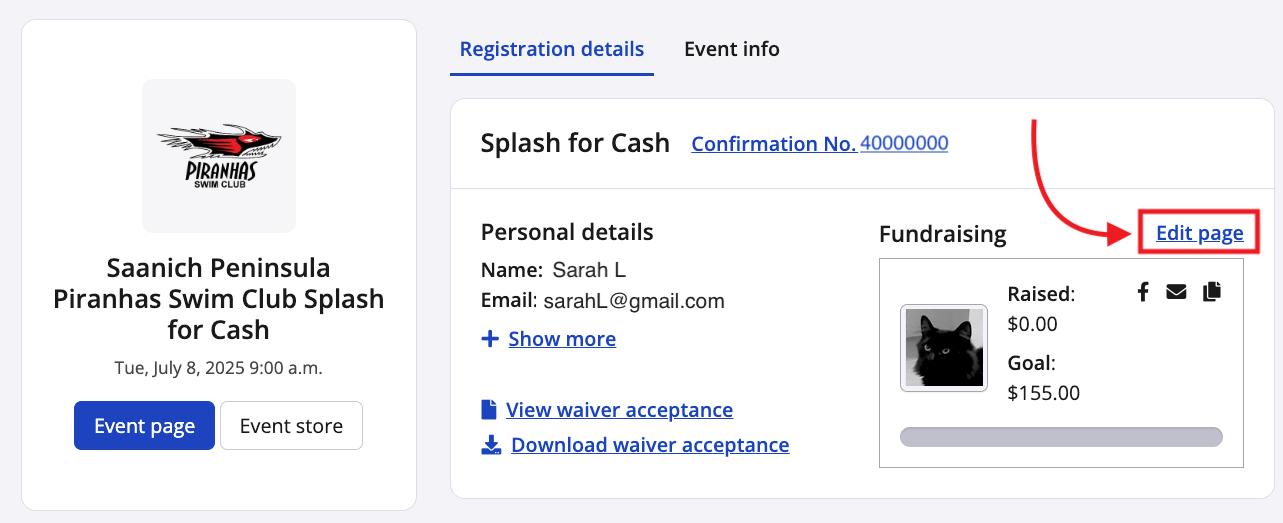
3) Click Edit fundraising page below the profile image on the right-hand side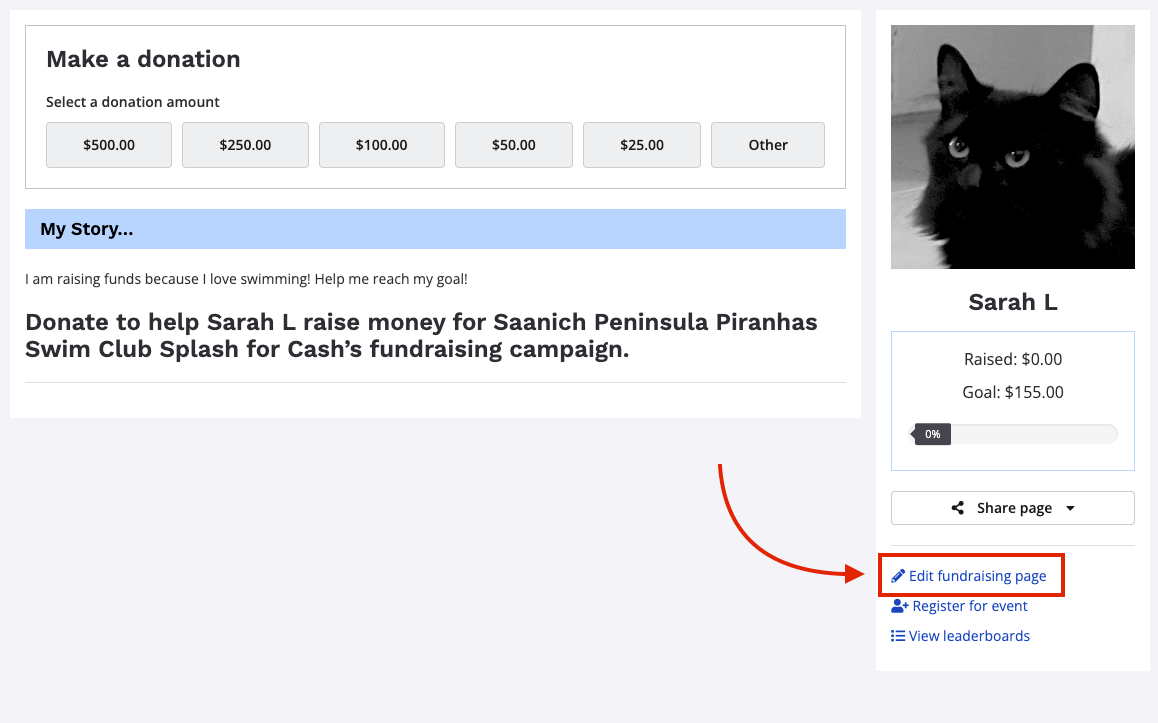
4) In the pop-up that appears, you can add your fundraising goal, write a personal message and upload a photo.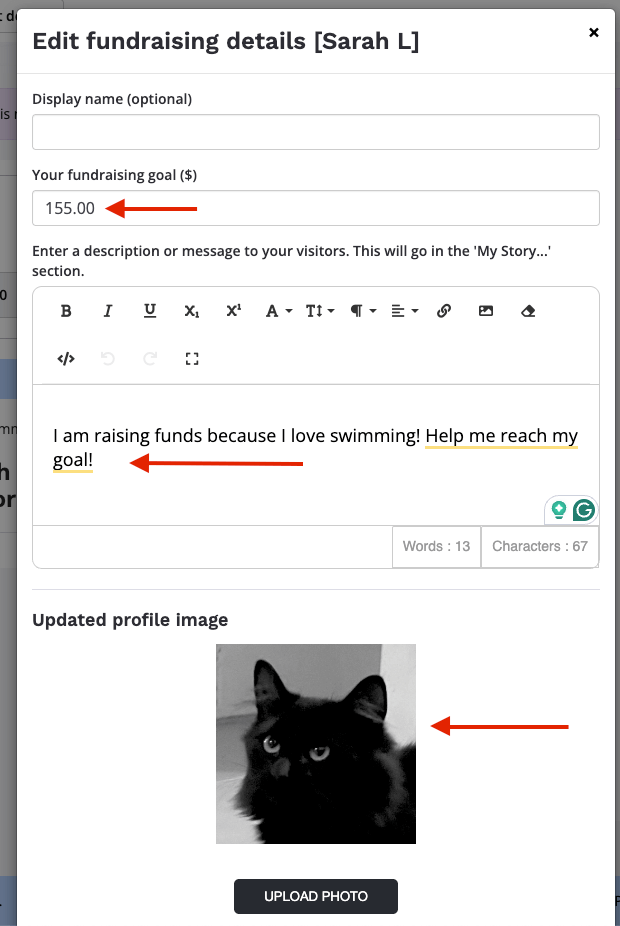
5) Don't forget to scroll down and click Save updated fundraising information

6) Now you will see buttons for social sharing on your page, and you can simply click to spread the word!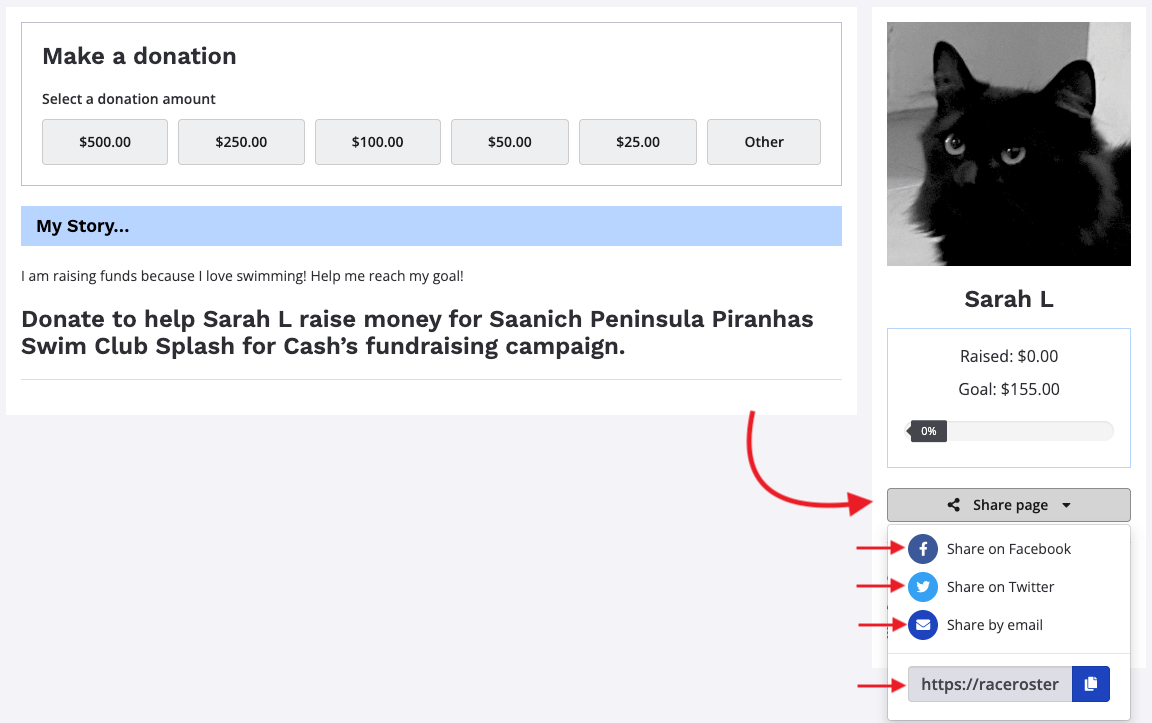
HURRAY! You're ALL SET!
Best of luck on your fundraising quest!
You can click here to navigate back to the main event page.