What’s new for Race Roster’s fundraising tools?
New Release | Estimated Read time – 5:00
We’ve updated how fundraising works on Race Roster to give events clearer setup options and create a more defined relationship between fundraisers and fundraising organizations. This lays the foundation for many exciting enhancements coming throughout 2026.
Release date: Wednesday, July 28, 2026
Action item
Review your team category fundraising settings. Please note that team fundraising will no longer be enabled by default for all team categories.
What’s changing for Event Organizers
Fundraiser & fundraising organization relationship
All teams and participants who are fundraising will be required to select a fundraising organization. This will occur at the time that the team or participant becomes a fundraiser.
Fundraisers will now be linked to a single fundraising organization, replacing the previous multi-select option. This ensures all donations and reporting are directly tied to a single, explicit choice, rather than being inferred from donor activity.
Updates to pre-existing fundraiser data
Any fundraisers that have more than one fundraising organization associated with their fundraising page will be updated to a single organization. Fundraising organizations that were removed can continue to find this fundraiser’s donations in the Donation report.
Updated participant fundraising settings
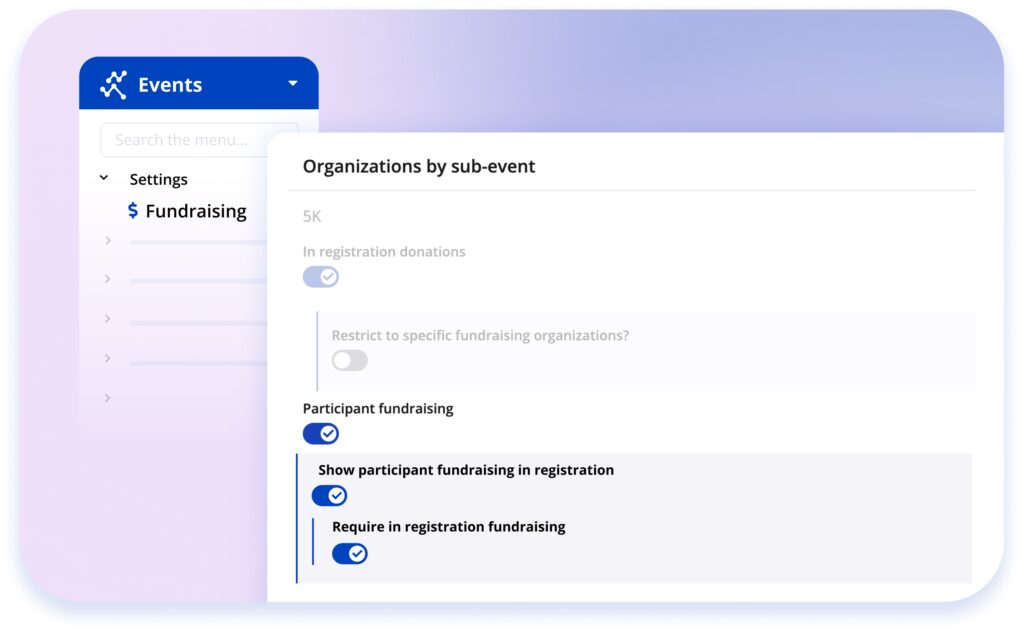
We’ve introduced three new toggles, giving you greater control over participant fundraising during registration. With these toggles, you can manage fundraising visibility and requirements on a sub-event basis.
- Participant fundraising — participant fundraising is enabled for the sub-event and will be optional by default.
- Show participant fundraising in registration — controls whether or not fundraising appears within registration. If disabled, then participants can opt into fundraising from their participant dashboard.
- Require in registration fundraising — makes participant fundraising mandatory during registration
Updated team management pages
Creation and editing of teams and team fundraising pages has been consolidated to a single edit page in your Event Dashboard.
New team category fundraising settings
Team fundraising will be controlled by two new toggles:
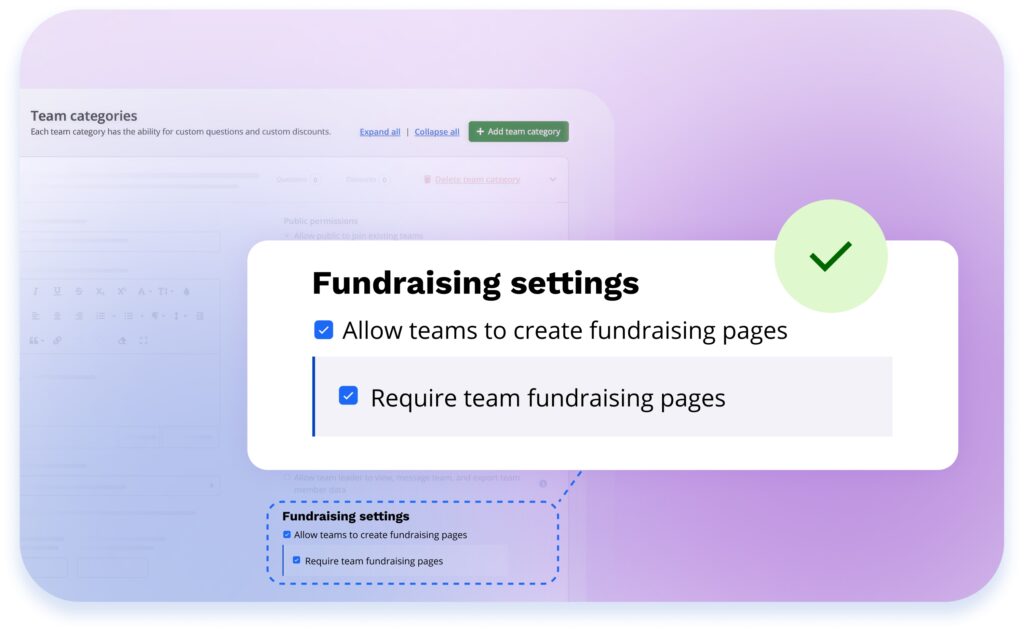
Team fundraising will be controlled by two new toggles within Team settings:
- Allow teams to create fundraising pages — team fundraising will be optional during team creation.
- Require team fundraising pages — makes team fundraising mandatory.
If neither toggle is enabled, team fundraising won’t appear during team creation or joining.
Action item
After release, be sure to check your fundraising settings to ensure it aligns with your preferences. Specifically, your team category fundraising settings may not be enabled due to the introduction of new settings. If you would like to enable team fundraising, go to your Team settings and enable the Fundraising settings within each Team category.
A refreshed Fundraiser List report
The Fundraiser list has received a refresh and will include the following new features:
- Both team and participant fundraisers will be listed.
- The Fundraiser list url will update to include changes made to filters, column visibility, and sorting. This allows you to customize the report and share the corresponding url with other users.
- Event organizer and charity coordinator users will be able to edit the team or participant fundraising page from the action menu, depending on their staff permissions.
New staff permissions
Two new permissions give you more control over who can access and edit fundraising data:
- Fundraiser List Read — access to view the new Fundraiser List.
- Fundraiser List Actions — access to the action menu (e.g., editing a fundraiser’s page) within the list.
Achievement badges by organization
You can now restrict achievement badges to specific fundraising organizations—making it easy to run charity-specific incentive programs.
What’s changing for participants and teams
A streamlined registration experience
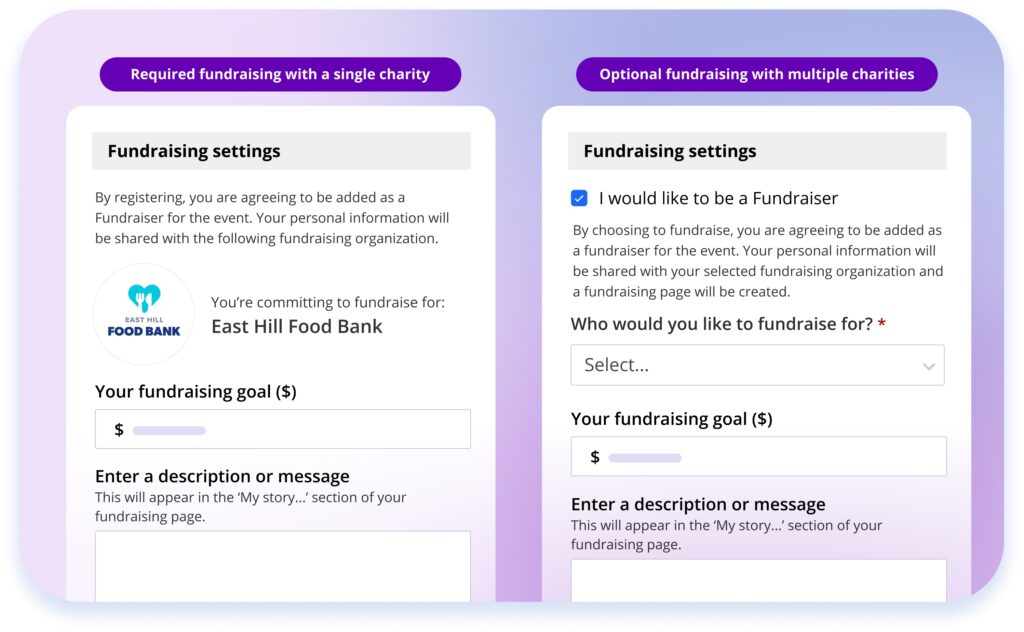
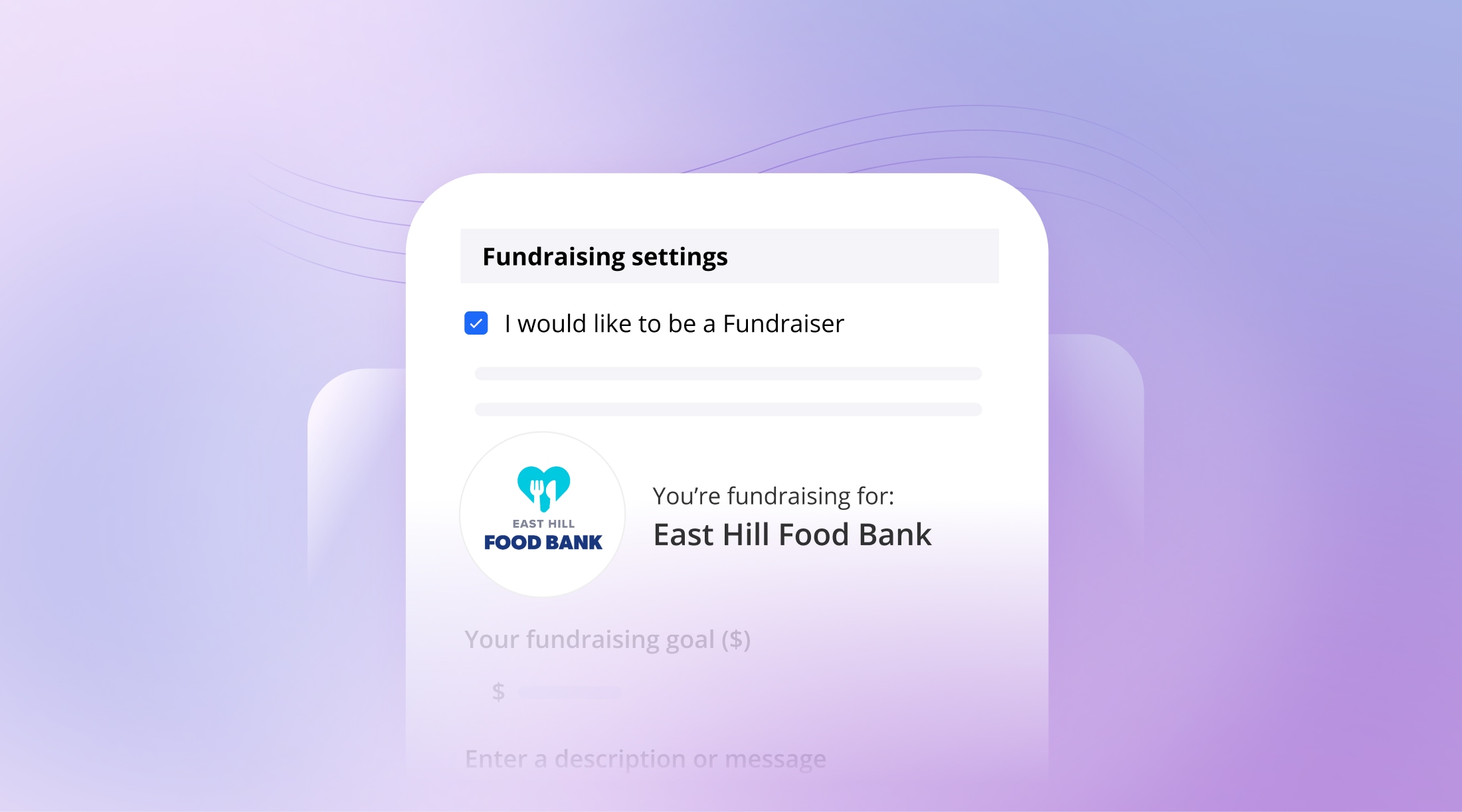
When a single fundraising organization is available, the organization name and image will be displayed prominently within the fundraising settings or teams section of the registration form.
When more than one fundraising organization is available, participants and teams will see a clear “Who would you like to fundraise for?” step during registration.
Depending on how your event is configured, fundraising will appear as:
- Optional — participants/teams can choose to opt out of fundraising.
- Required — participants/teams must set up a fundraising page.
- Hidden during registration — participants (only) can still opt in later from their dashboard.
- Disabled and hidden – participants/teams cannot fundraise.
A new way to manage fundraising pages
Participants and team captains now manage their fundraising page (photo, description, display name, and status) directly from the participant dashboard. A few things to note:
- Once a fundraising page has received donations, the fundraiser will not be able to change their selected fundraising organization.
- Fundraisers can stop collecting donations on their fundraising pages at any time, by disabling donations.
Email campaign updates
We will be introducing some changes to options in email campaigns.
New trigger
- Is fundraiser
Updates to legacy merge tags
- Fundraising earnings merge tag (|*FUNDRAISER_EARNINGS*|) has been updated to Total amount raised (individual) (|*INDIVIDUAL_TOTAL_AMOUNT_RAISED*|)
- Edit fundraising page link (for individual and team) merge tag URL will link to the new edit page on the participant dashboard.
Update to a Race Roster email template
- How to steps have been updated in the “Personalize your fundraising page” email template to correspond to the new location to edit a fundraising page .
Please note: The updated merge tags still work with your old tags, so there’s no need to edit your existing campaigns. Legacy fundraiser data merge tags will be removed once all legacy fundraiser information is removed from the system later this year.
Visit our knowledge base for details on how to use the new features.
For event staff
Questions for us? We’re here to help. Don’t hesitate to reach out to us with any questions you might have.