Beta Release | Estimated Read time – 4:00
We’ve introduced three new financial reports designed to provide complete transaction-level transparency on payments, charges, and adjustments & fees. These reports make it effortless to reconcile your finances in seconds, build trust with stakeholders, and export accountant-ready files with ease.
You can access the new report types under ‘Financials & Reporting’ in your Events dashboard menu.
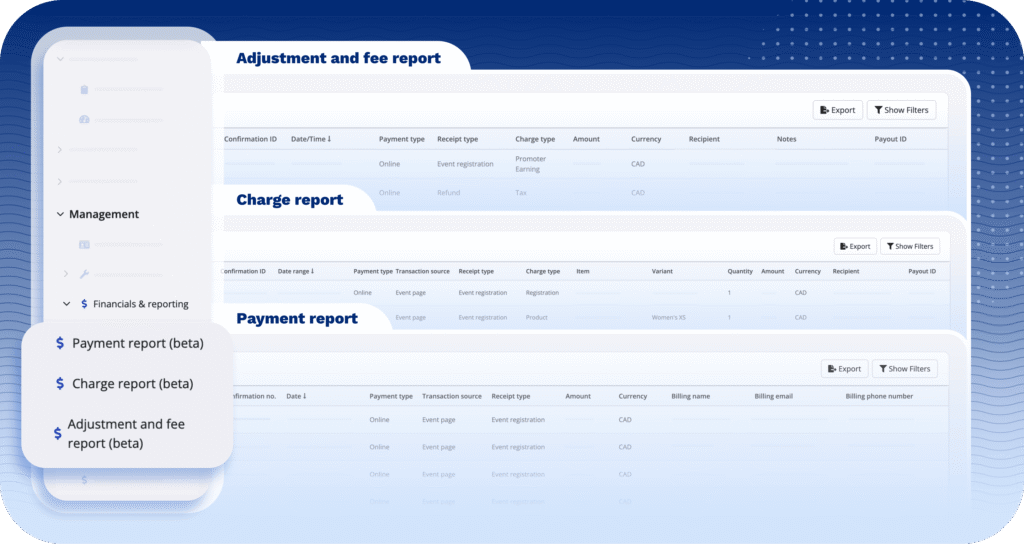
Here’s how these new reporting tools will transform your financial workflow:
- Simplify month-end reconciliation: Say goodbye to late nights matching bank deposits and tracking down refunds. Our three new reports—Payment, Charge, and Adjustment and fee—work together to eliminate tedious manual tasks. You can easily trace the lifecycle of every transaction, from what the attendee was billed to what hit your bank account, allowing your finance team to close the books in a fraction of the time.
- Increase financial transparency: Build trust with sponsors and leadership by providing a clear, audit-friendly breakdown of your event’s finances. Effortlessly demonstrate gross revenue, track add-on purchases, monitor discount usage, and show the exact net revenue after fees. This level of detail positions you as a professional, transparent partner and proves you manage investments with precision.
- Identify revenue opportunities: See which products or price points drive volume, where refunds or comps cluster, and how fee structures affect take-home pay. These insights allow you to adjust your pricing strategy based on hard data, not guesswork.
- Ensure compliance and audit-readiness: The new reports provide a detailed record of all payments, charges, and adjustments. This gives you everything needed for tax preparation and financial audits right at your fingertips, ensuring you can quickly answer any questions with documented proof.
Meet your new financial reporting trio
To help you leverage these benefits immediately, let’s look at the specific capabilities of each new report.
1 – Payment report
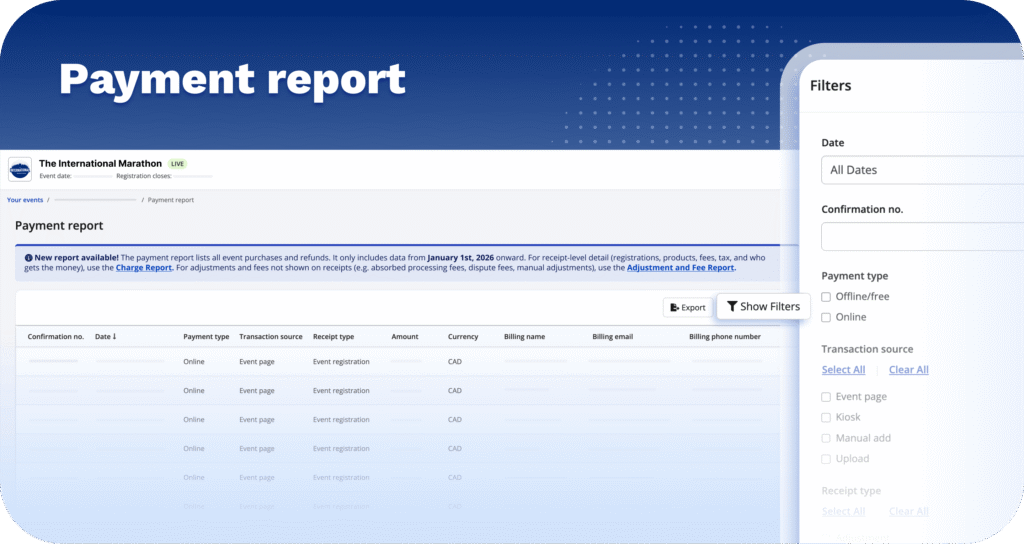
The payment report provides a comprehensive overview of all event purchases and refunds starting from January 1, 2026, offering clear insights into the revenue generated for your event.
With robust filtering options, you can refine the report by payment type, transaction source, receipt type, and specific amounts—whether equal to, greater than, less than, or within a defined range. For instance, you can view the gross revenue generated through kiosks or analyze income from specific sources like store or gift purchases.
2 – Charge report
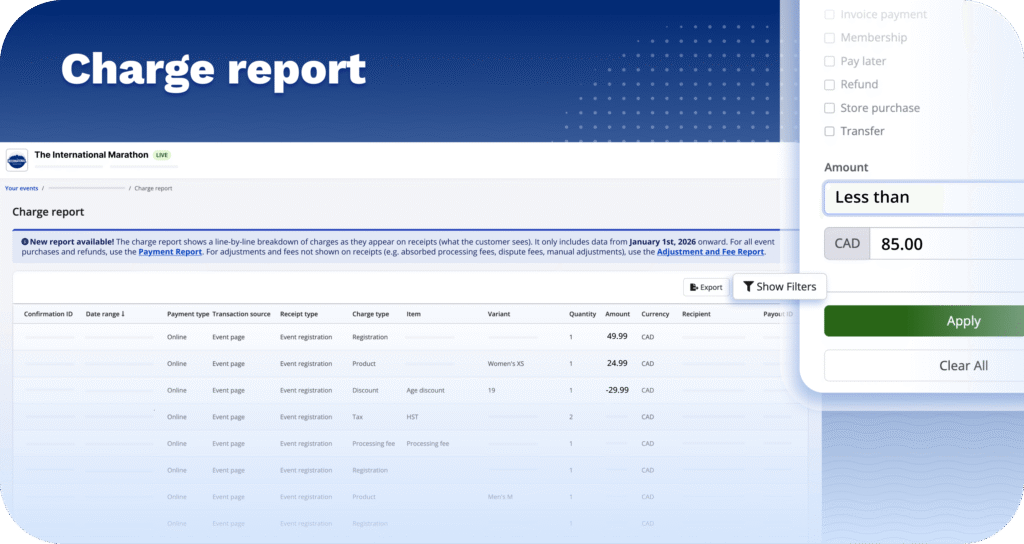
The charge report provides a detailed, line-by-line breakdown of charges as they appear on receipts, making it easy to identify what each charge was for. It is ideal for receipt-level details such as registrations, products, fees, taxes, and recipient information. For example, you can quickly get the answer to questions such as, “how much did I collect in registrations?”, and “how much did I make on this product that I sold?”
Additional filters for the charge report include recipient, payment type, transaction source, and more. You can also search by Confirmation ID for quick access to specific transactions.
3 – Adjustment and fee report
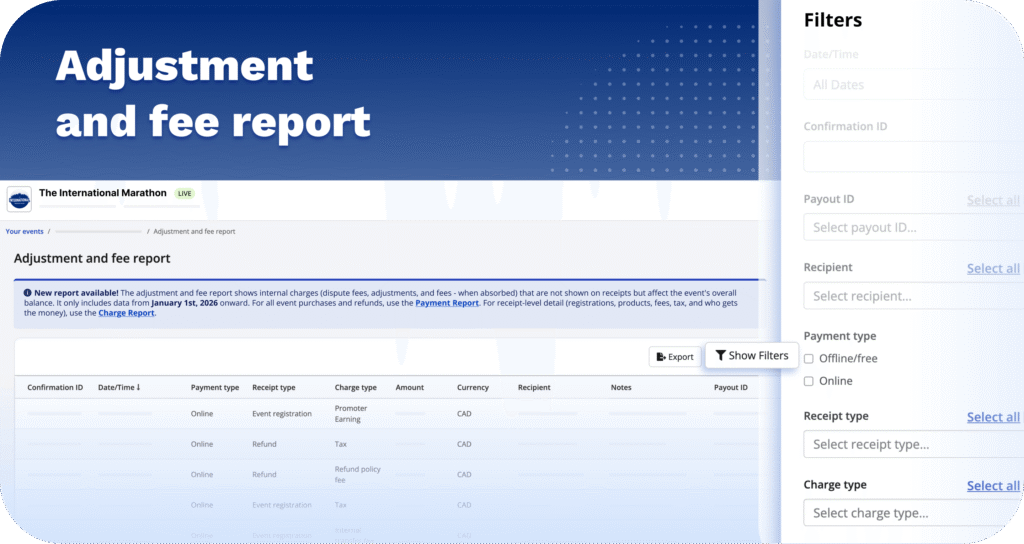
The adjustment and fee report details internal charges—such as dispute fees, adjustments, and absorbed fees—that do not appear on receipts but impact the event’s overall balance. Similar to the charge report, it allows filtering by charge type, recipient, confirmation ID, and more.
Export with ease
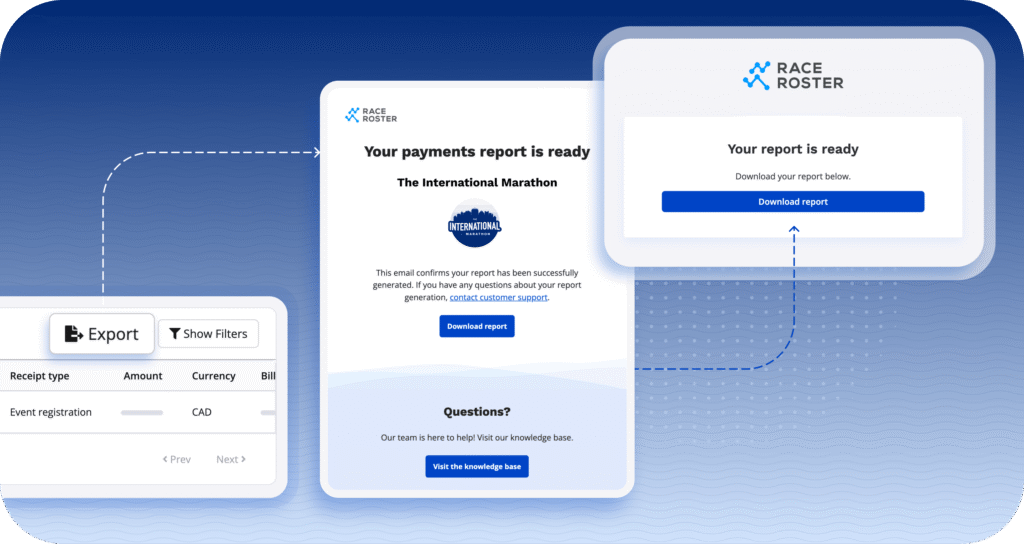
All reports are quick and easy to export! After hitting the “export” button, you will receive an email with the option to download your report as a .csv file.
Ready to explore the new reports?
Navigate to ‘Financials & Reporting’ in your Events dashboard menu now!



What’s new at Race Roster?
Visit our what’s new page for the most noteworthy Race Roster updates!