Tips & Tricks | Estimated Read time – 8:00
Quick answer: GivingTuesday falls on December 1 this year, and Race Roster offers many fundraising tools—including fundraising minimums, spot pools, achievements, leaderboards, and automated tax receipts—that help event organizers and fundraising coordinators turn this global generosity movement into meaningful results for their cause.
GivingTuesday, celebrated every December 1, is a global day of generosity where people show up for their communities in countless ways. According to GivingTuesday.org, there’s no single way to participate: giving, volunteering, sharing, or simply showing support all count. For event organizers and fundraising coordinators, this day presents a natural opportunity to rally your community, energize your fundraisers, and cross the finish line on year-end goals.
To make the most of this global day of generosity, having the right tools in place makes all the difference. Race Roster offers a suite of fundraising features built to make giving easy, trackable, and rewarding for everyone involved.
Below, we’ll walk through 8 Race Roster tools that can help you prepare for GivingTuesday and keep the generosity going well beyond December 1.
1. Fundraising Minimums
What are fundraising minimums and how do they work?
Fundraising minimums give event organizers and fundraising coordinators the ability to set a required fundraising amount for participants, with the option to charge any outstanding balance if that minimum isn’t met. For example, you might require fundraisers to raise $100. If they fall short, you can charge the remaining amount.
Why use fundraising minimums? Choose fundraising minimums if lowering your entry fee, guaranteeing event sell-out, or ensuring your organization receives a set amount of funding matters most to your event strategy. Specific benefits include:
- A lower-cost entry fee for participants
- “Guaranteed entry” messaging that helps your event sell out faster
- Assurance that your fundraising organization receives a certain amount of money
How do you set up fundraising minimums?
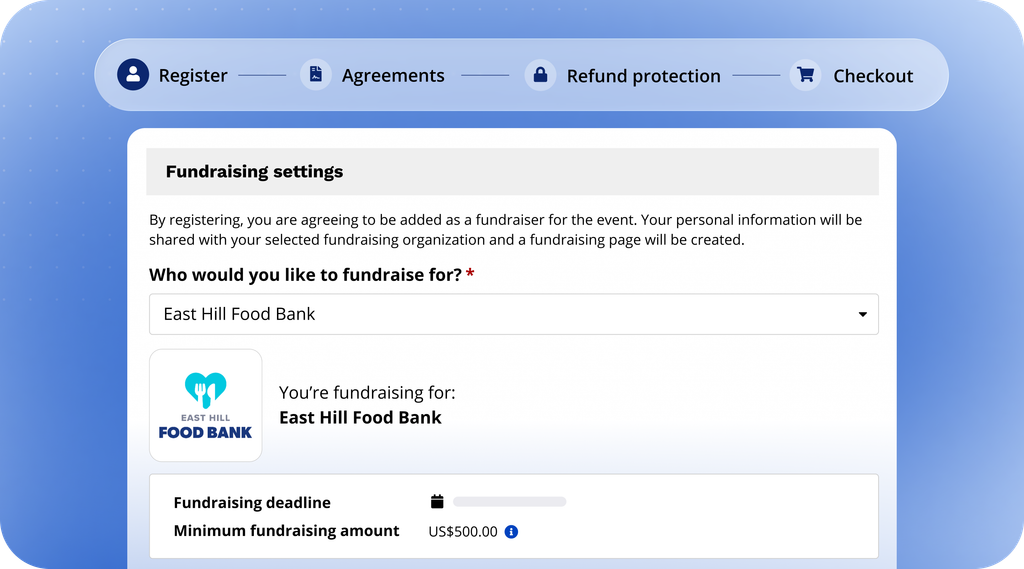
From the Events dashboard, navigate to Fundraising Settings to enable fundraising minimums. Next, choose which fundraising organizations will require a fundraising minimum, and select the applicable sub-events for each organization. Then, set the minimum amounts and the deadlines participants need to reach it.
During registration, fundraising minimums appear under charity selection, with the committed amount clearly stated. A credit card agreement appears at checkout, so participants know upfront what they’re committing to.
What happens if a participant doesn’t meet their fundraising minimum?
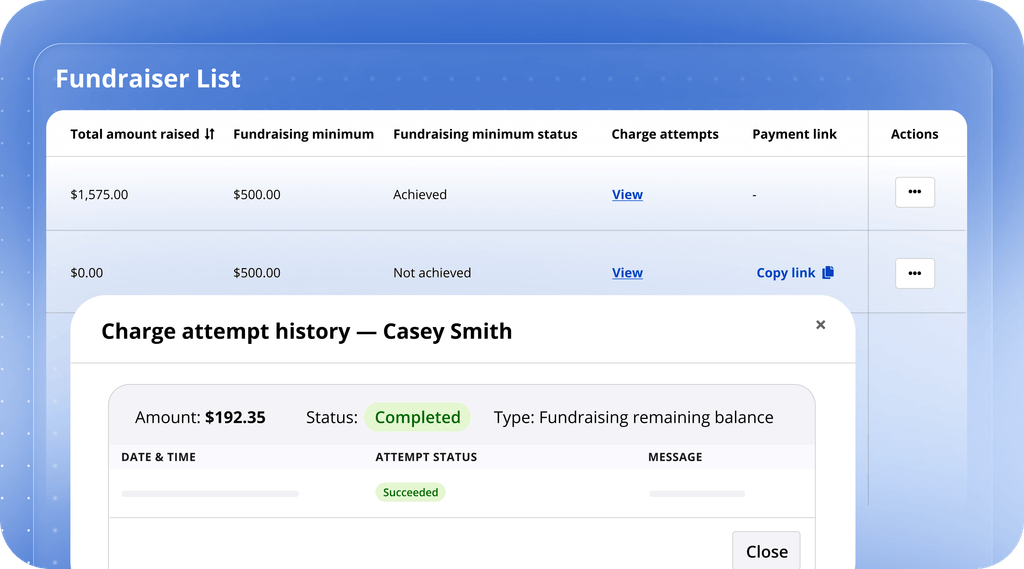
If a participant commits to a certain amount and doesn’t reach it, you can charge them for the remaining balance. You can track this progress through the Fundraiser List, using columns such as:
- Fundraising minimum.
- Fundraising minimum status.
- Charge attempts.
- Payment link.
Can fundraising minimums be edited or waived?
A fundraiser’s minimum can only be decreased, not increased, once they’ve registered and committed to an amount. If the minimum is raised after a participant registers, it will only apply to future registrants.
If you’d like to release a participant from their fundraising commitment, you can waive their minimum. When waived, the fundraiser receives an email notifying them of the change.
How to enable fundraising minimums for an event
How to enable fundraising minimums for a fundraising organization
How to charge outstanding fundraising minimum balances
How to track & manage fundraiser progress towards required fundraising minimums
2. Fundraising Spot Pools: Coming Soon
What are spot pools and why should you use them?
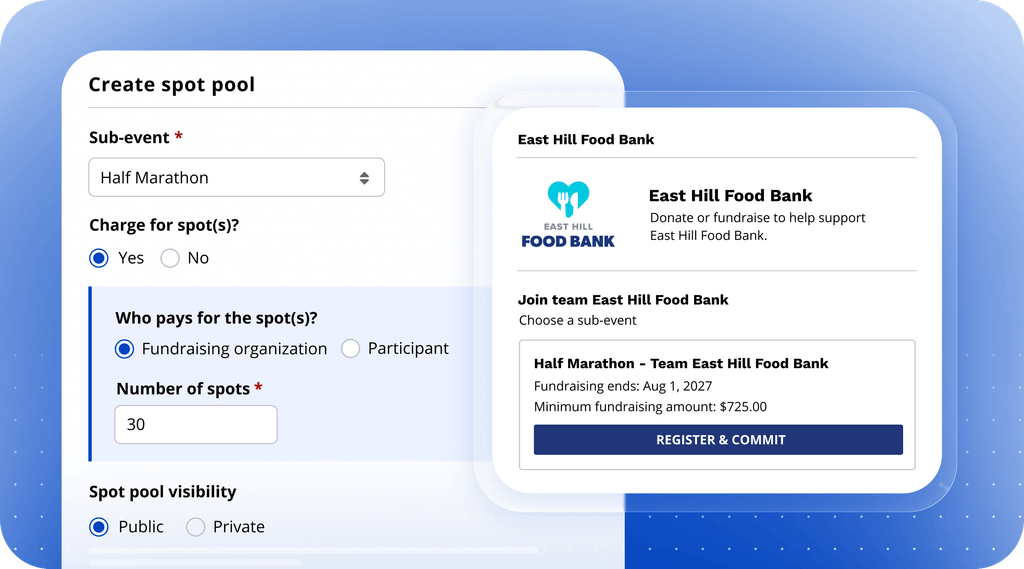
Spot pools are on the way! They will allow you to reserve spots from your event inventory, holding them for a specific fundraising organization and sub-event. This is a great fit if you need to manage limited event capacity while still prioritizing fundraising participation.
Spot pools allow you to:
- Manage event size limits.
- Offer fundraising organization paid registrations.
- Dedicate spots in your event to fundraisers.
- Make it easy to register for or join a fundraising team.
- Combine with fundraising minimums to encourage fundraising—for example, there may still be spots left for your event, but registrants will need to commit to fundraising a specific amount for them.
Fundraising organizations will also get access to their own dashboard, where they can manage spot pools and registration links independently.
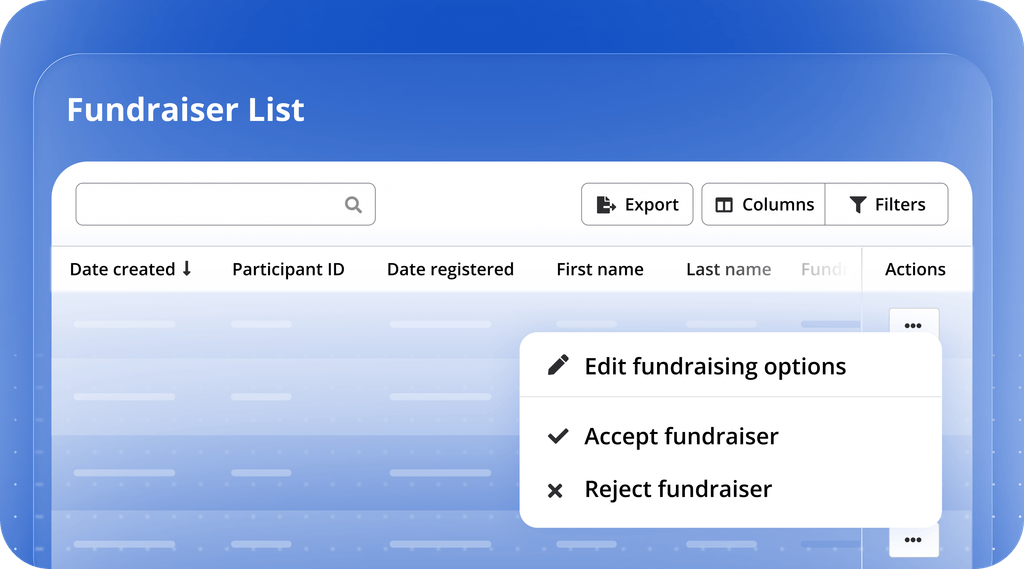
Additionally, we’re introducing Fundraising Spot applications, which let you require fundraisers to apply for a spot. You can review each application and approve or reject applicants, giving you more control over who secures a spot. Applicants won’t be charged, counted as participants, or able to begin fundraising until their application is approved.
Stay tuned for the future release of this feature!
3. Fundraising Achievements
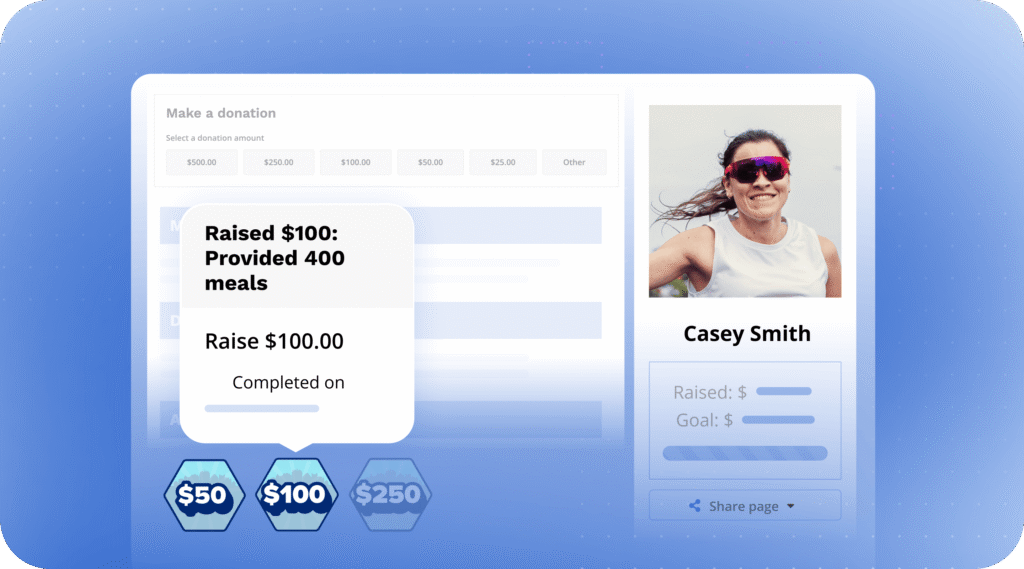
How do fundraising achievements motivate participants to raise more?
Fundraising achievements are custom milestones you can award based on a dollar amount or a percentage of a larger fundraising goal. You can also upload a badge image for each achievement, giving participants something tangible to work toward.
Achievements can be displayed across:
- The participant dashboard
- Public-facing pages
- Email campaigns
Why offer fundraising achievements?
Choose fundraising achievements if inspiring fundraisers to go the extra mile and highlighting the real-world impact of their generosity are priorities for your event. For instance, you might set up an achievement explaining, “If you donate $100, you’ll be providing 400 meals.” Tying dollar amounts to tangible outcomes helps fundraisers see exactly how their effort adds up.
4. Fundraising Leaderboards
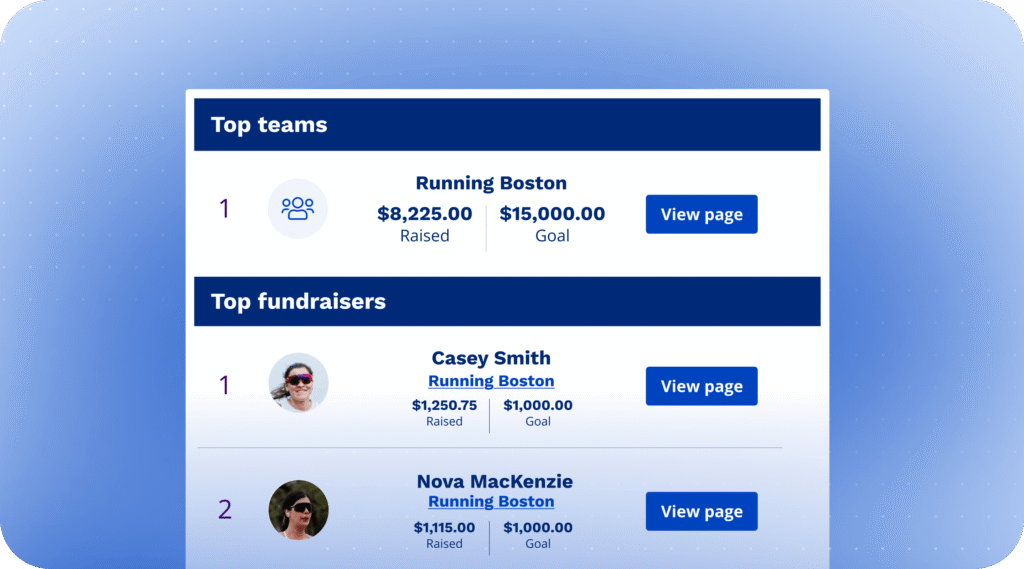
How do leaderboards encourage friendly competition among fundraisers?
Race Roster’s leaderboards highlight top fundraisers and teams for all participants and visitors to see. This feature taps into the same spirit of friendly competition that fuels race day, encouraging participants to push a little further and celebrate their progress publicly.
Participants can fundraise individually or as part of a team, giving everyone a way to contribute, whether they prefer to go solo or rally alongside teammates.
5. Automated Tax Receipts
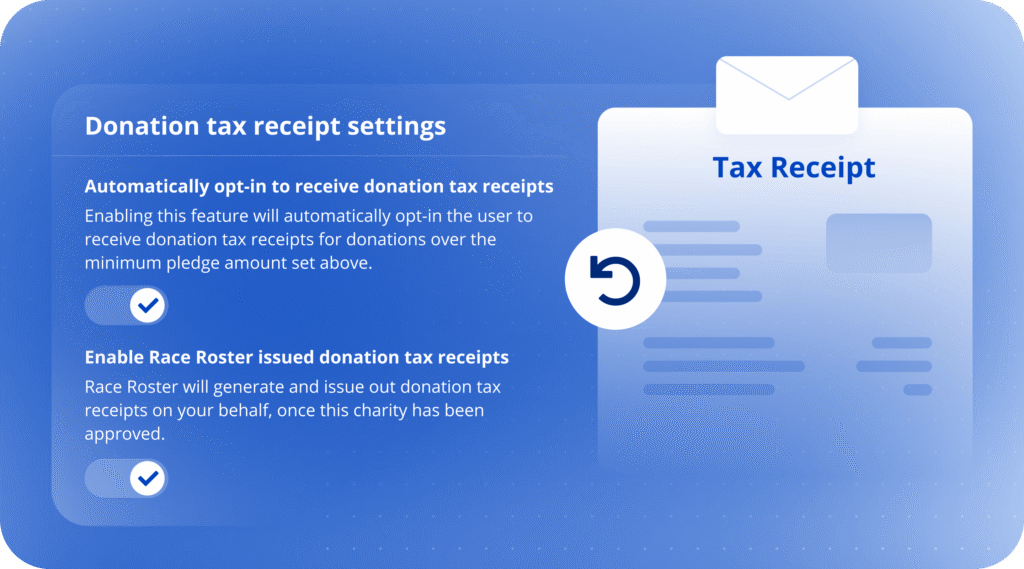
How do automated donation tax receipts simplify fundraising administration?
If your event allows participants to request donation tax receipts, Race Roster’s automated receipt feature takes much of the manual work off your plate. When a donor requests a tax receipt, it’s issued automatically via email.
6. Personalized Fundraising Pages
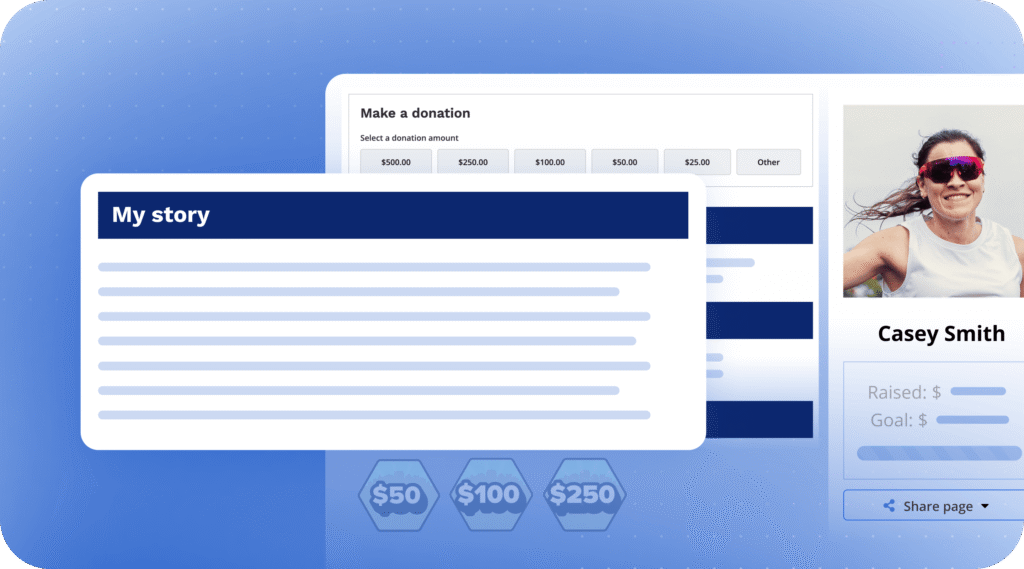
How do personalized fundraising pages help participants connect with your cause?
Personalized fundraiser pages let participants share their “why” in their own words, customizing their page with personal photos that bring their story to life. This personal connection often resonates more with potential donors than a generic ask.
Participants can easily share their fundraising pages across social media platforms, with sharing links built directly into their personalized page, making it simple to spread the word to friends, family, and followers.
7. How can a templated email campaign to fundraisers help?
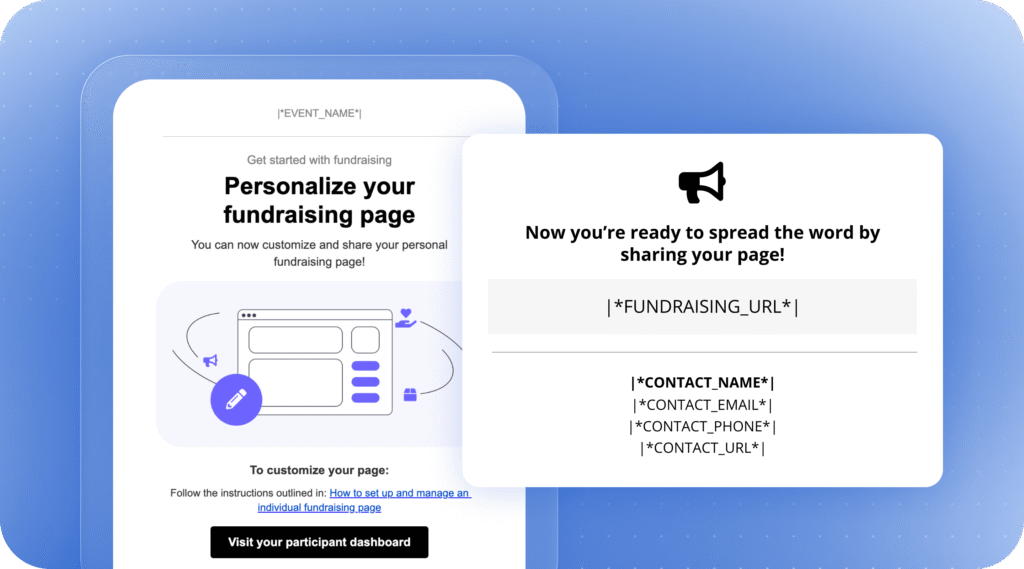
Race Roster offers a ready-to-send email campaign that event organizers can set up to reach fundraisers quickly. This campaign encourages fundraisers to customize and share their personal fundraising pages, saving you the time of drafting outreach from scratch while still keeping the messaging personal and on-brand.
8. What are fundraising widgets and how do they display on event pages?
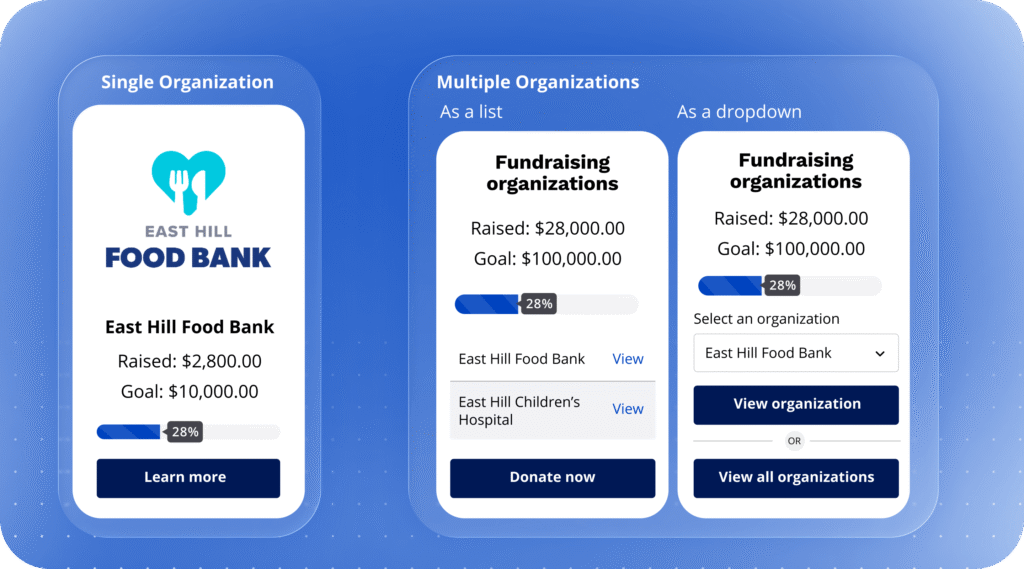
Fundraising widgets display directly on your event details page, showing overall goal progress and linking out to fundraising organization pages. This keeps fundraising visible to anyone browsing your event, not just those already registered.
Depending on your event structure, you can choose from:
- Single organization: A simple widget tied to one fundraising organization.
- Multiple organizations: Choose a list display if you want all participating organizations visible at once, or a dropdown if you’re working with a larger number of organizations and want to keep the page streamlined.
Turning GivingTuesday Momentum into Lasting Impact
GivingTuesday is a reminder that generosity takes many forms, and for event organizers, it’s a chance to channel that spirit into measurable support for the causes you care about. With tools like fundraising minimums, spot pools, achievements, leaderboards, automated tax receipts, personalized pages, templated email campaigns, and fundraising widgets, Race Roster gives you everything needed to prepare your event for December 1 and beyond.
Start setting up your fundraising tools today, so when GivingTuesday arrives, your community is ready to cross the finish line together.



What’s new at Race Roster?
Visit our what’s new page for the most noteworthy Race Roster updates!
